
The Four Claude Code Building Blocks: When to Use Skills, Agents, and Subagents
From personal Claude Code to enterprise AI - the same four concepts, different stakes.

When I first set up my Claude Code repository, I built things by instinct. I had a skill for planning my week. I had a custom agent for planning trips. Both worked. But I couldn’t have clearly explained why one was a skill and the other was an agent - or what the difference actually meant for how I should build new automations.
I eventually went through Carl Vellotti’s Claude Code PM course and it gave me the vocabulary to see what I was actually building. Not just the “what” - the “why.”
It came up again this week. I was in the Berlin office and a few colleagues had seen the earlier posts about setting up Claude Code. They wanted to understand the concepts - what CLAUDE.md actually does, when to use a skill vs an agent, and how spinning up multiple agents in parallel works. Same questions, same starting point. That conversation is what pushed me to write this up properly.
This post is that vocabulary. If you’re getting started with Claude Code and finding the terminology confusing - agent, skill, subagent, CLAUDE.md, MCP, parallel agents - this is the map. The same four concepts apply whether you’re building a personal agent or deploying agents in a customer-facing process.
The vocabulary pile
The confusion is understandable. Pick up any article about AI agents and you’ll encounter the same set of terms thrown around without consistent definitions: agents, skills, subagents, custom agents, tools, MCP servers, system prompts. Sometimes “agent” means a standalone AI worker. Sometimes it means any AI doing a task. Sometimes “skill” means a capability, sometimes a workflow.
In Claude Code specifically, these terms have precise meanings - and once you know them, the whole system becomes much clearer to build with.
Four concepts are all you need.
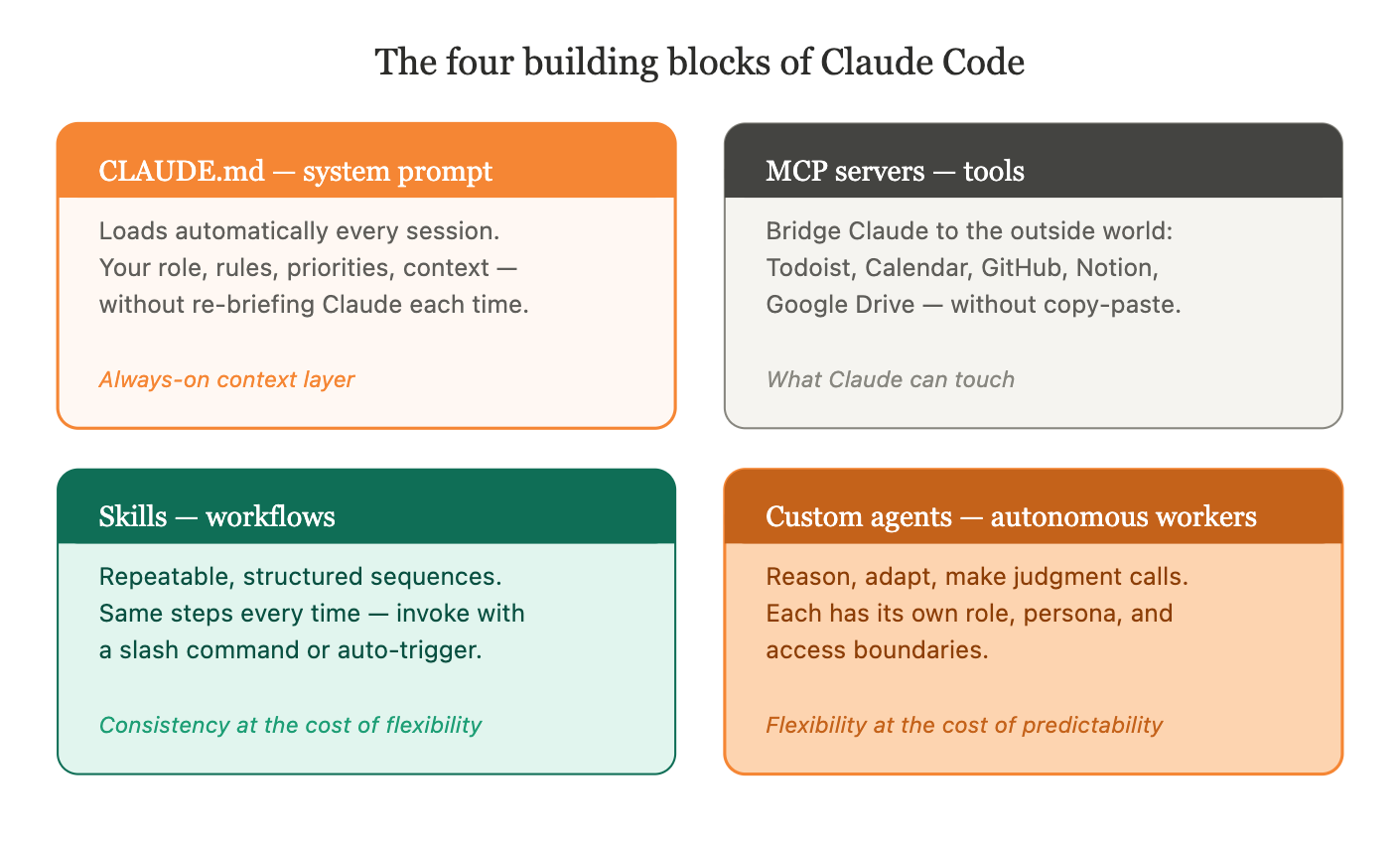
The four building blocks
CLAUDE.md - the system prompt
Every Claude Code project has a CLAUDE.md file. This is the persistent system prompt - the instructions that load automatically at the start of every session, without you having to write them again.
Your CLAUDE.md is where you tell Claude who it’s working with, what tools it has available, what rules to follow, and what context it should always have. If you set it up well, Claude already knows your role, your priorities, your naming conventions, and your preferred output formats before you type a single word.
Think of it as the difference between briefing a colleague fresh every morning versus working with someone who already has full context on your project.
Without it, Claude asks you to re-explain your role, your output preferences, and your tool setup every session. With it, Claude already knows you’re a PM, knows your stakeholder profiles, and follows your naming conventions before you type a word.
MCP servers - the tools
MCP (Model Context Protocol) servers are the bridge between Claude and the outside world. They define what Claude can actually reach out and touch during a session: your Todoist tasks, your calendar, your GitHub repositories, your documentation, your Notion workspace.
Without MCP connections, Claude can only read and write files in your local directory. With them, it can create tasks, check your schedule, read engineering issues, and look up product documentation - all without you copy-pasting anything.
A concrete example: I type /weekly-plan and Claude pulls my full task backlog from Todoist, surfaces what’s overdue, challenges me to narrow down to 3-5 true priorities, and structures them into a focused weekly plan - without me opening a single tab. That only works because Todoist is connected as an MCP server.
Skills - workflows
A skill is a repeatable, structured workflow you invoke on demand. The key word is repeatable: a skill does the same thing every time it runs.
My /meeting skill is a good example. Every time I process a meeting note, it follows the same sequence: analyze the meeting data, cross-reference attendees against my stakeholder profiles, create a structured note, link it in the day’s journal, propose follow-up tasks for Todoist, and suggest updates to relevant initiative files. The steps don’t change. The output structure doesn’t change. I trigger it, it runs.
Think of it like any workflow automation tool you may have used - Zapier, Make, n8n, or a process definition in Camunda. A skill is the same idea: a defined sequence of steps with a predictable output. The value is consistency - you encode a workflow once, and it executes reliably every time.
Custom agents - autonomous workers
A custom agent is a different thing entirely. Where a skill follows a script, an agent reasons.
My /trip agent is the clearest example I have. When I invoke it to plan a trip, it doesn’t follow a fixed sequence. It reads my full travel history to understand our preferences. It researches the destination - best regions, seasonal conditions, and specific activities. It generates three distinct route variants, each with different trade-offs. It asks calibration questions. It iterates based on my answers.
Every trip is different. The agent adapts to the destination, to what we’ve done before, to what I tell it matters this time. It makes judgment calls. That’s what distinguishes a custom agent from a skill: a custom agent needs to think, not just execute.
Custom agents also have context boundaries. My trip agent only has access to personal content - it cannot see work epics, initiative files, or meeting notes. This isolation is intentional: each agent operates within a defined domain, with its own role and constraints.
Skill or agent - how to decide
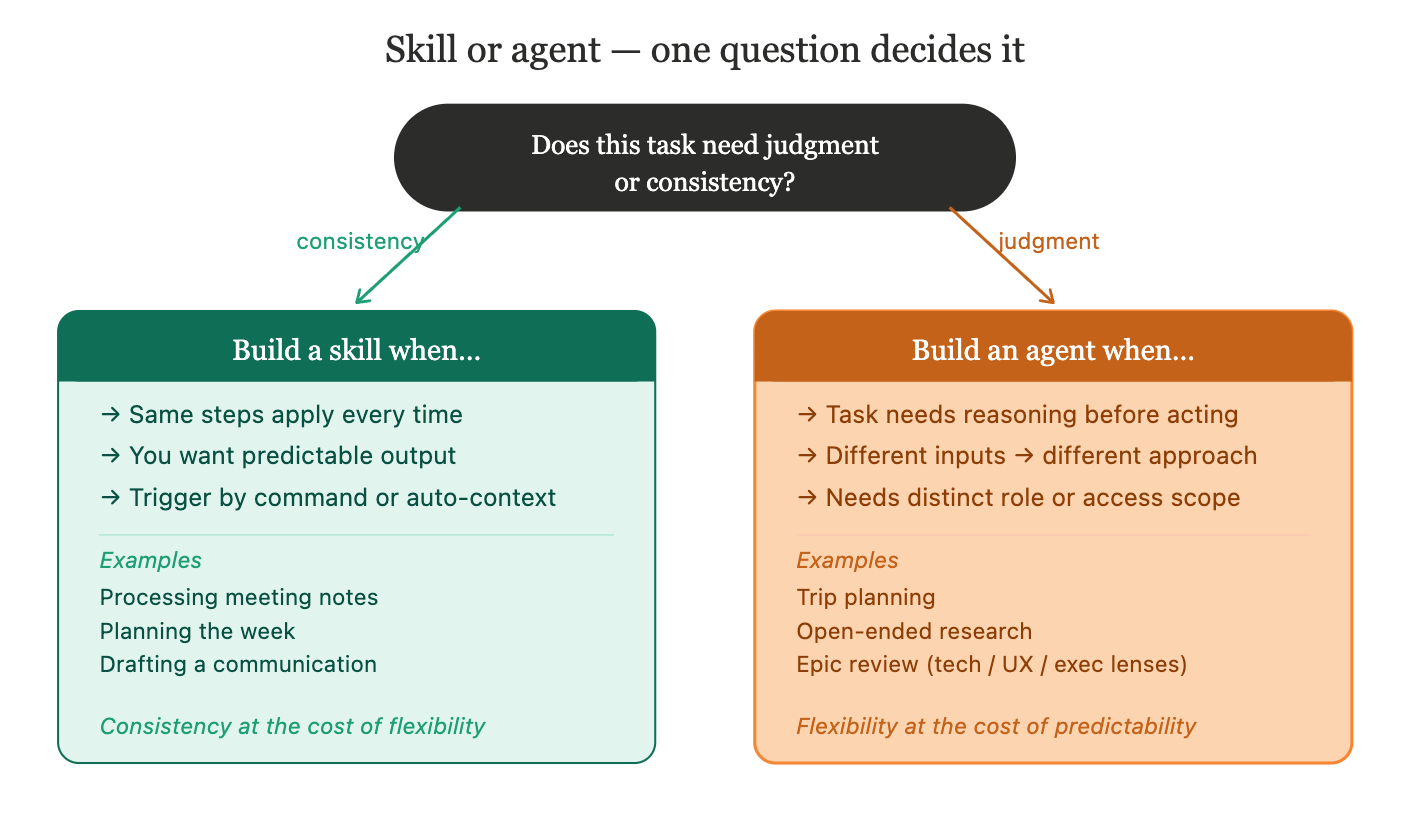
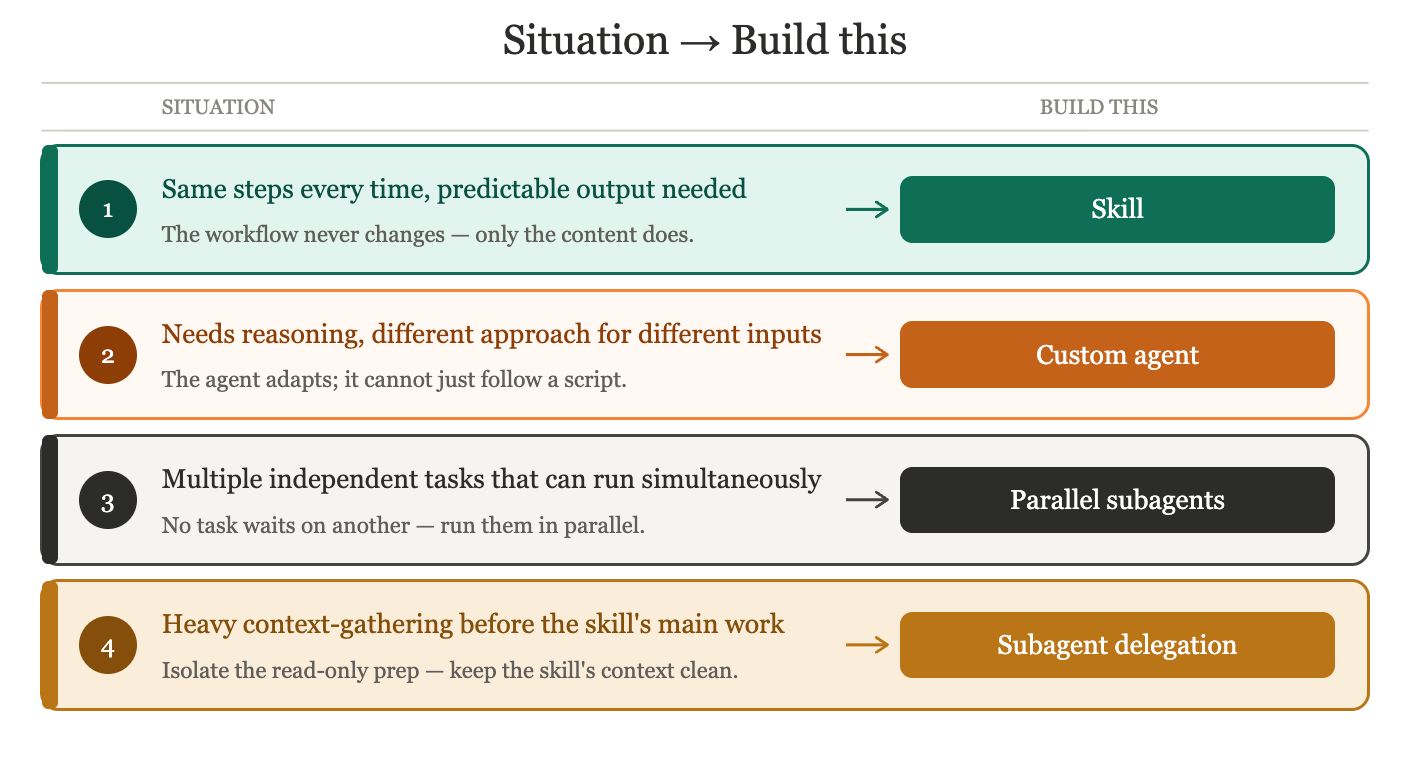
The decision comes down to one question: does this task require judgment or consistency?
Build a skill when:
The same steps apply every time the task runs
You want predictable, structured output
You want control over when it runs - skills can be invoked with a slash command, or triggered automatically when Claude recognizes the context fits the skill’s description
Examples: processing meeting notes, planning the week, drafting a communication
Anthropic’s official skills guide covers everything from creating your first SKILL.md to advanced patterns like subagent delegation and dynamic context injection. If you want a shortcut, Claude Code provides /skill-creator plugin that walks you through building a skill interactively - it’s the fastest way to go from idea to working skill.
Build a custom agent when:
The task requires reasoning about context before deciding what to do
Different inputs should produce genuinely different approaches, not just different content
The agent needs a distinct role, persona, or access boundary from your main session
Examples: trip planning, research tasks with no fixed structure, or specialized reviewers - an engineering agent that evaluates your epic for technical feasibility, a UX agent that reviews it for user impact, an executive agent that rewrites it for leadership. Same document, three different lenses, three different agents.
To create a custom agent, Claude Code has a built-in /agents command - select “Create new agent”, choose “Generate with Claude”, describe what you want, and Claude writes the agent definition for you. Anthropic’s official subagent documentation covers the full format and options. Carl’s course is the best practical reference for the reviewer agent pattern specifically.
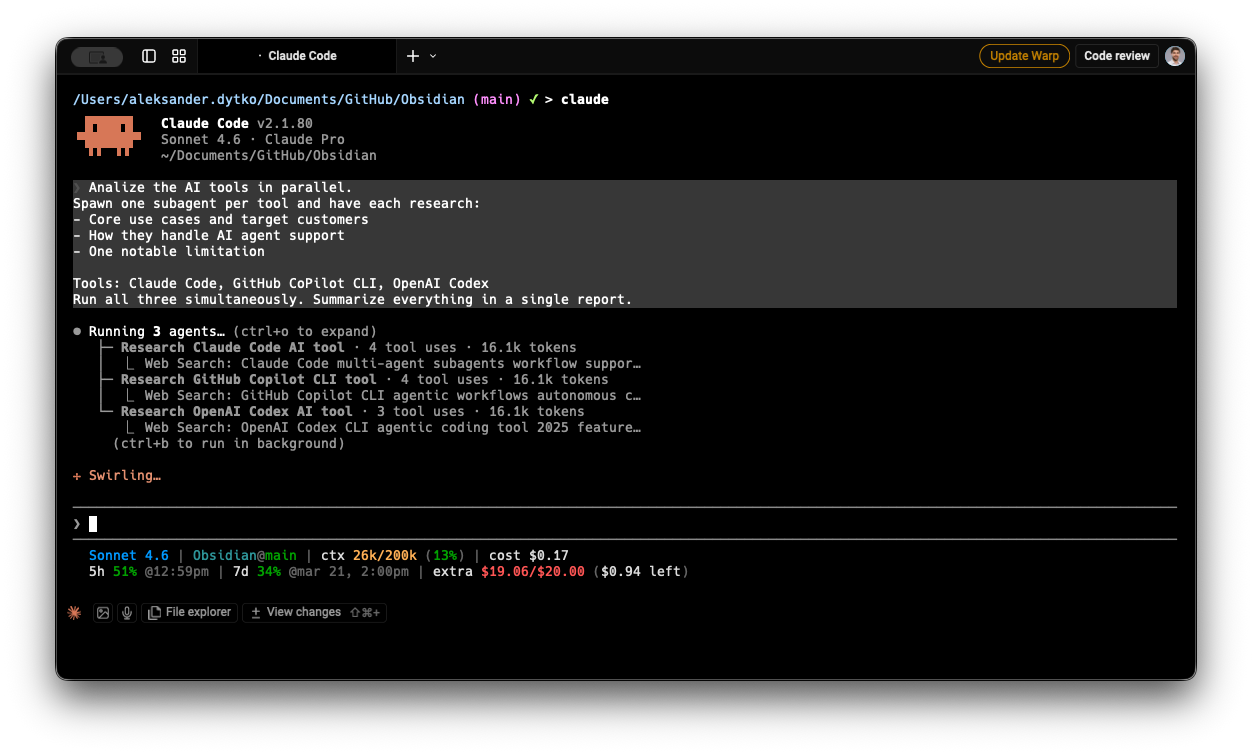
Use parallel subagents when:
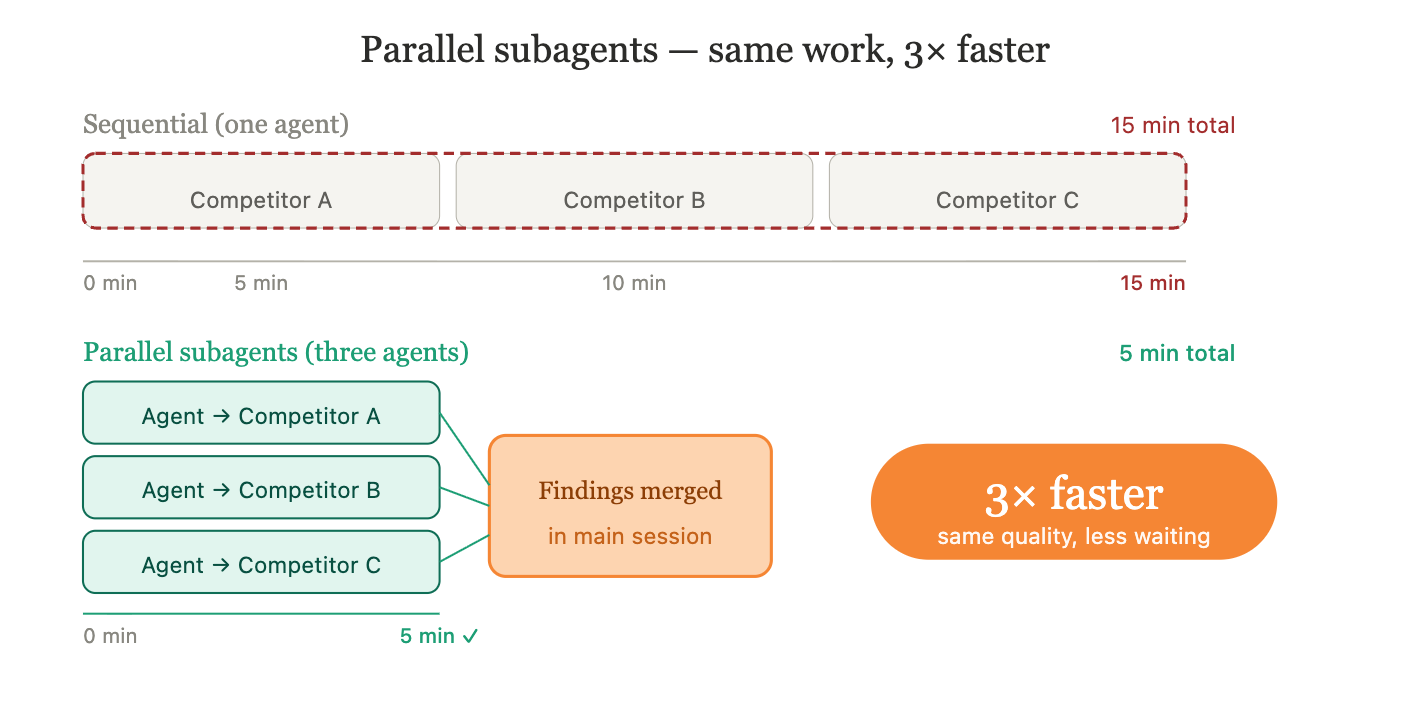
You have independent sub-tasks that don’t need to wait for each other
A practical example: competitive research. If you need to analyze three competing products, three subagents can each research one simultaneously and return their findings to the main conversation. What would take 15 minutes sequentially takes 5 minutes in parallel - and each agent stays focused on its single target.
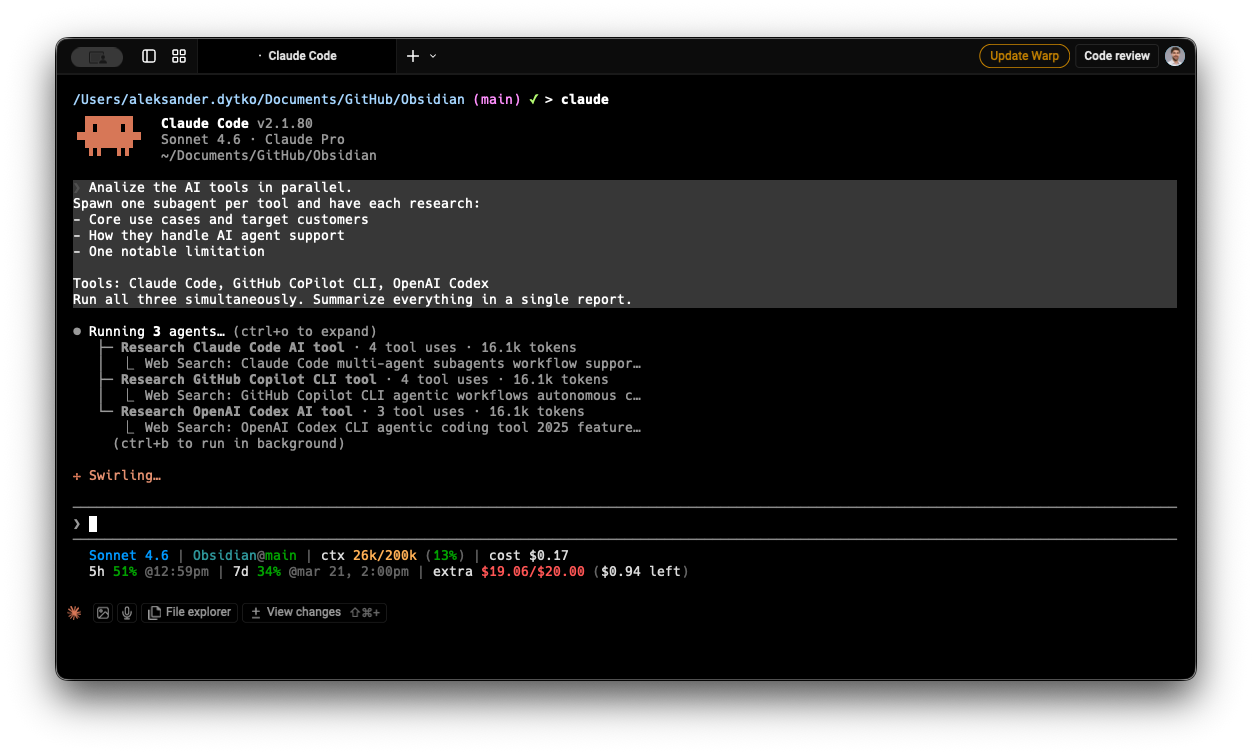
Competitor research with parallel subagents.
Use a subagent to delegate part of a skill when:
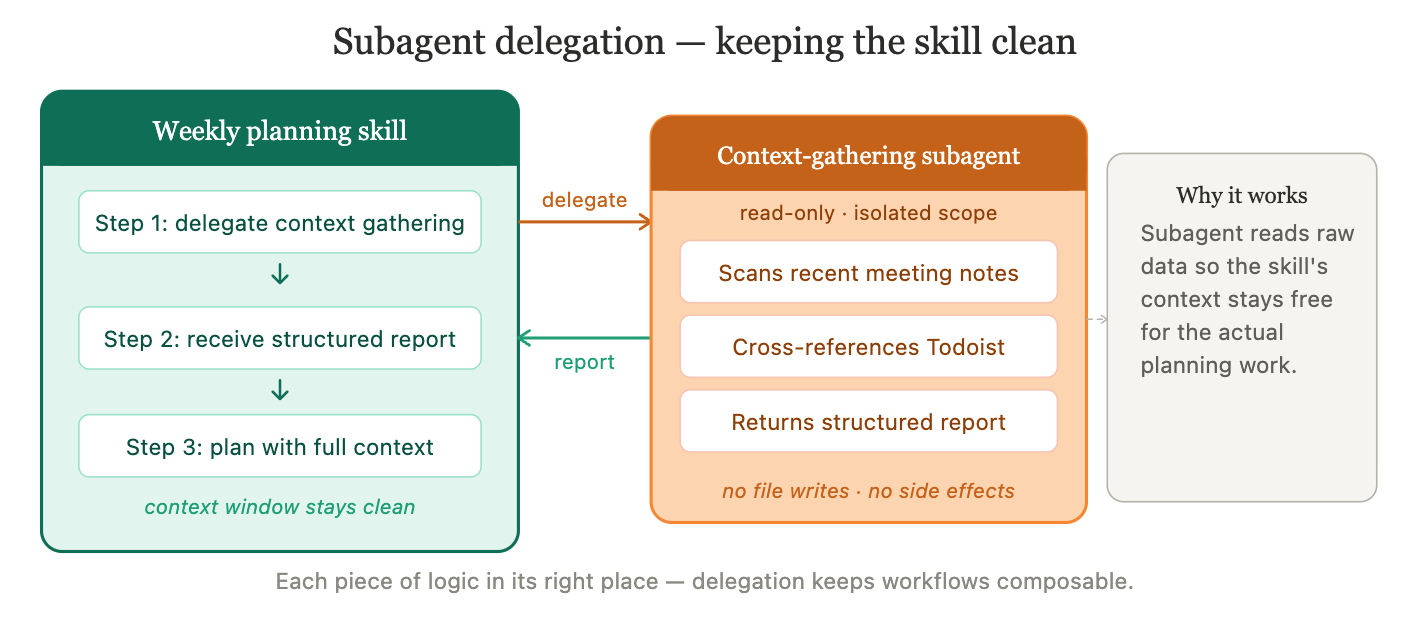
A skill needs to gather context from multiple sources before it can do its main job, and that context-gathering is self-contained
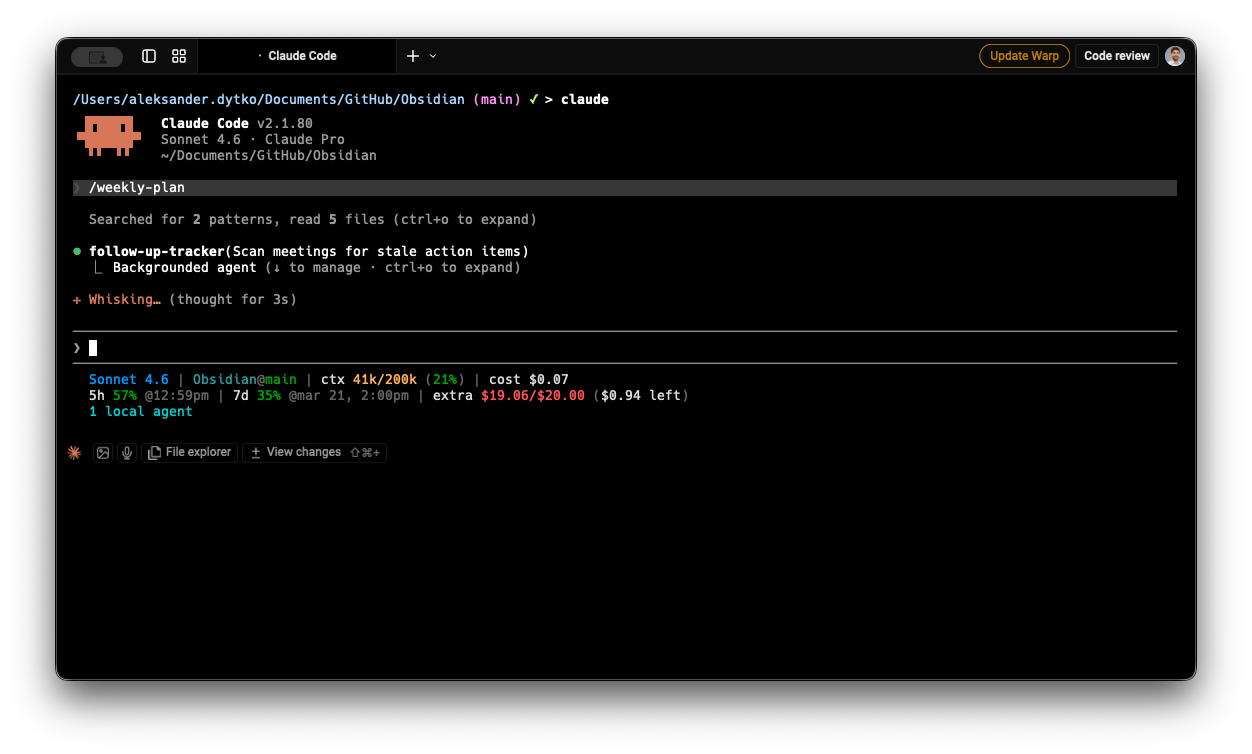
A real example: my weekly planning skill delegates the “find stale action items” work to a specialized subagent before the planning begins. That subagent scans recent meeting notes, cross-references against Todoist, and returns a structured report - without touching any files or making any changes. The main skill receives the report and continues with full context, without its own context window filling up with raw meeting data.
This pattern - a skill that spawns a focused, read-only subagent for a specific part of its work - keeps your main workflow clean and each piece of logic in its right place.
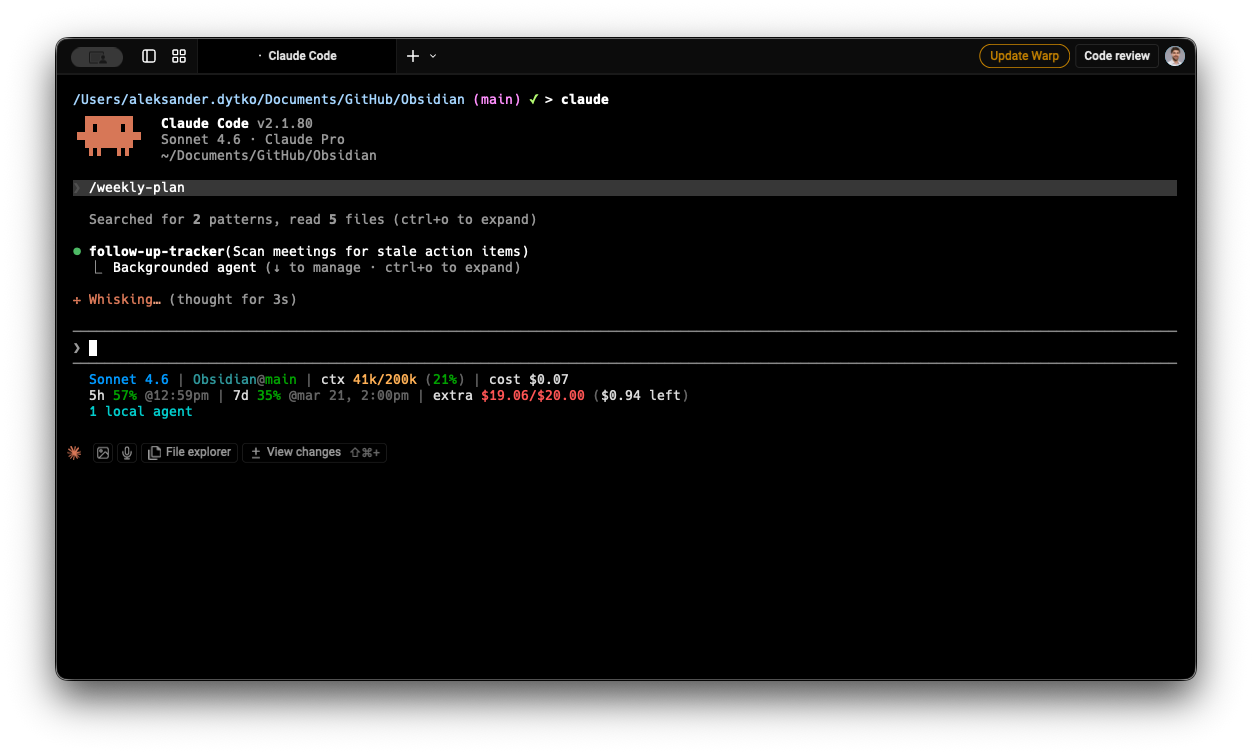
Background agent to scan meeting notes for stale action items.
One more: hooks
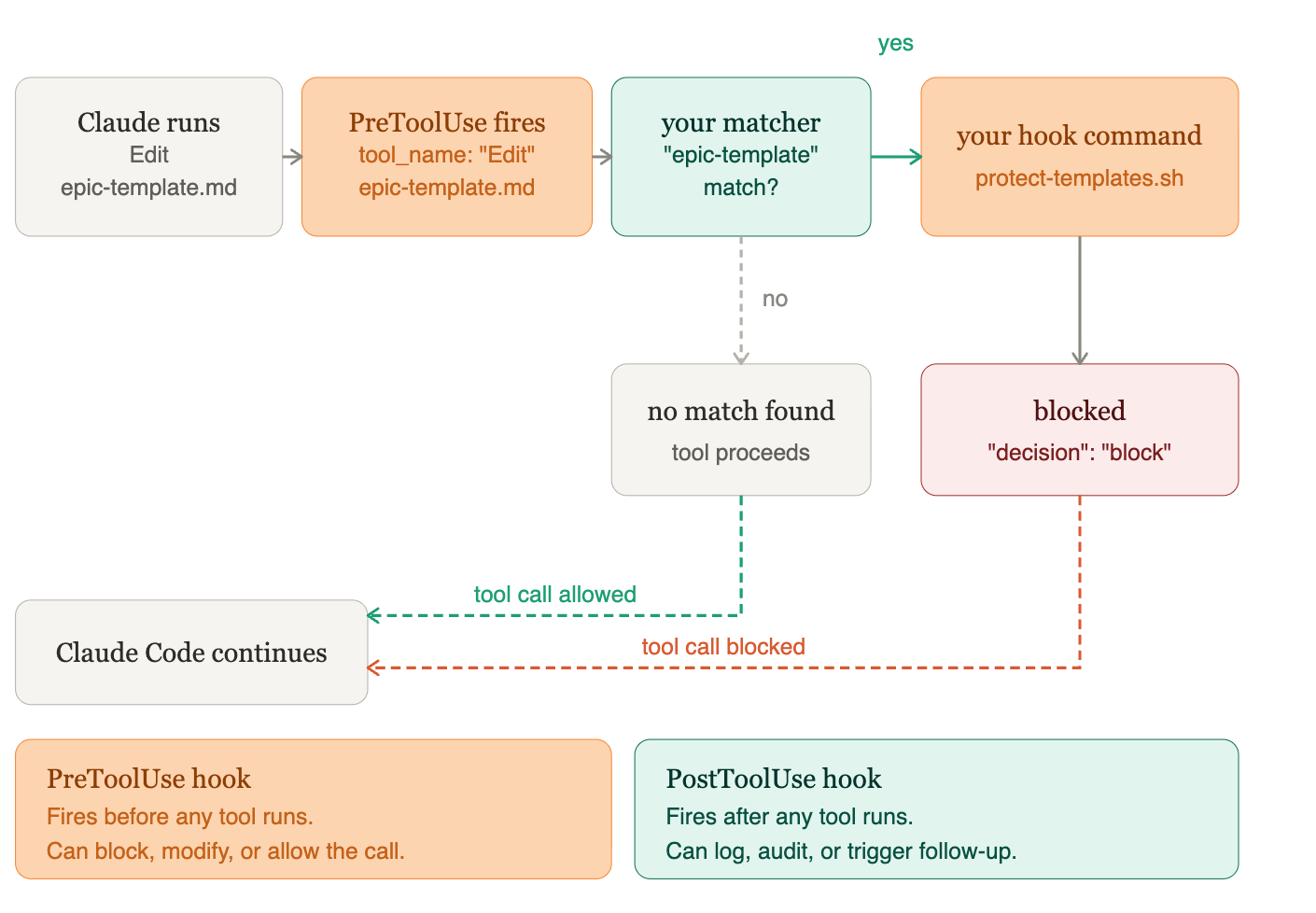
Once you have skills and agents running, hooks let you control what happens around them. Claude Code supports PreToolUse and PostToolUse hooks - shell commands that execute automatically before or after specific tool calls. Want to log every file write? Block certain commands in sensitive directories? Require confirmation before Claude edits a critical file? Hooks are how you do it. They’re Claude Code’s personal version of the audit and control layer that enterprise platforms build in at the infrastructure level - which brings us to the next section.
Quick reference: which one should I build?
From personal to enterprise
Everything above describes personal AI agents with Claude Code - your own setup, running locally, serving your individual workflow.
The same four building blocks appear in enterprise AI agents too. The concepts don’t change. What changes is the context they run in - customer-facing workflows, business-critical processes, teams of people depending on the output - and the controls that context demands.
When you move from a personal setup to an enterprise platform (like Camunda, which lets you embed AI agents directly inside business processes), the mapping is direct:
Your CLAUDE.md - the system prompt - becomes the agent’s role definition and behavioral guardrails. Where yours might say “you are a PM assistant,” an enterprise agent’s system prompt defines what it can act on, what it must refuse, and when it should escalate to a human instead of deciding alone.
Your MCP tools become tool descriptions: the actions the agent can trigger within the process. Each tool needs a description of when to use it and - critically - when not to. An agent with access to a “send rejection email” action needs to know precisely when that’s appropriate.
Memory works at two levels, and this is where personal and enterprise agents differ most visibly. Short-term memory is the conversational context within a single execution - what the agent has said, what tools it has called, what results it has seen so far. This is bounded: the agent can only hold so much in context at once, which is why enterprise platforms let you configure how many messages get passed to the model per call. Long-term memory is what persists beyond a single run - previous process outcomes, customer history, knowledge bases, documents stored externally. In a personal Claude Code setup, your CLAUDE.md and vault notes act as long-term memory: Claude reads them at the start of each session and knows your context without you re-explaining it. In enterprise agents, long-term memory is typically connected via external storage - a database, a document store, or a CRM - so the agent can recall what happened in previous interactions with the same customer or process.
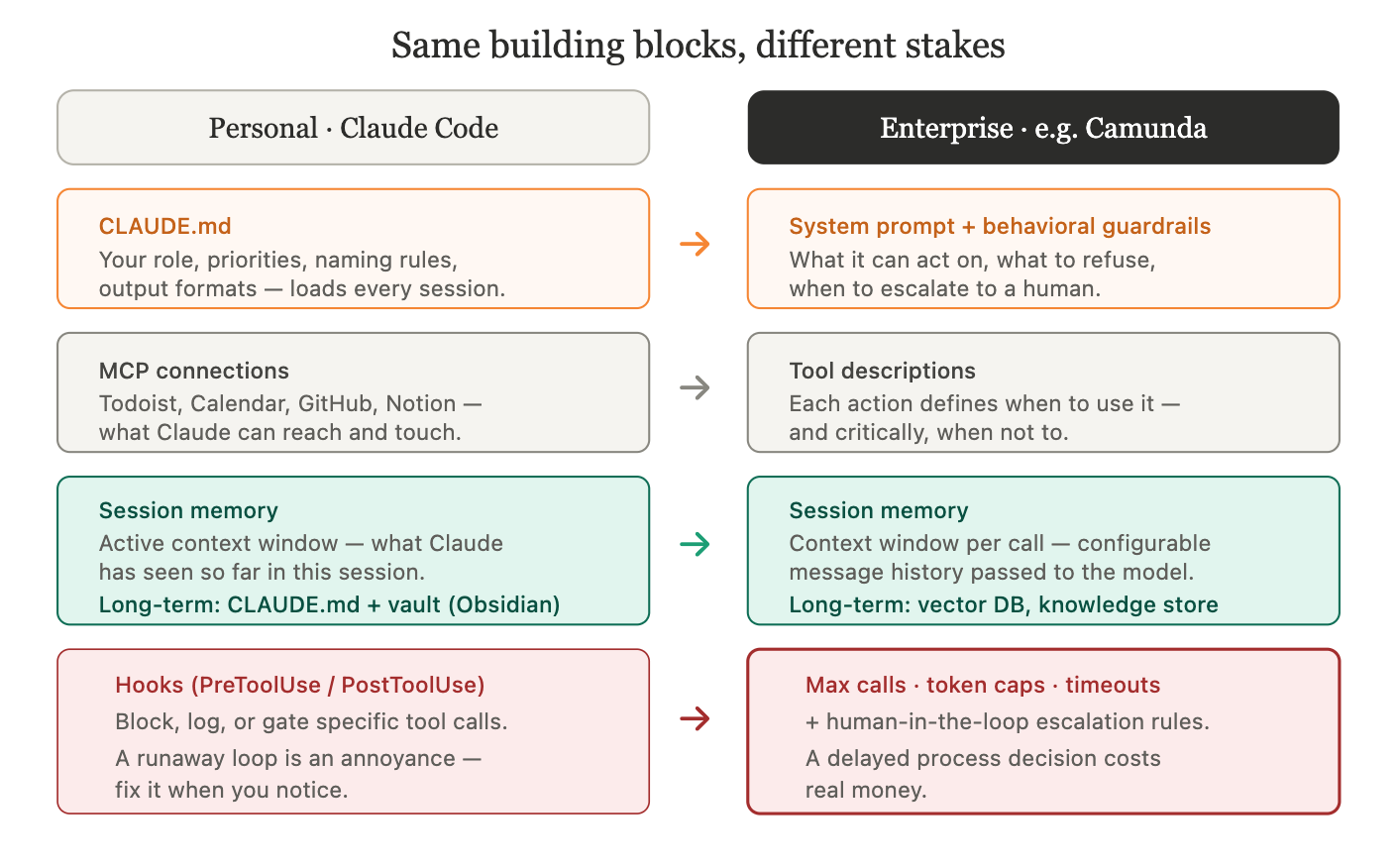
Mapping personal and enterprise agent concepts.
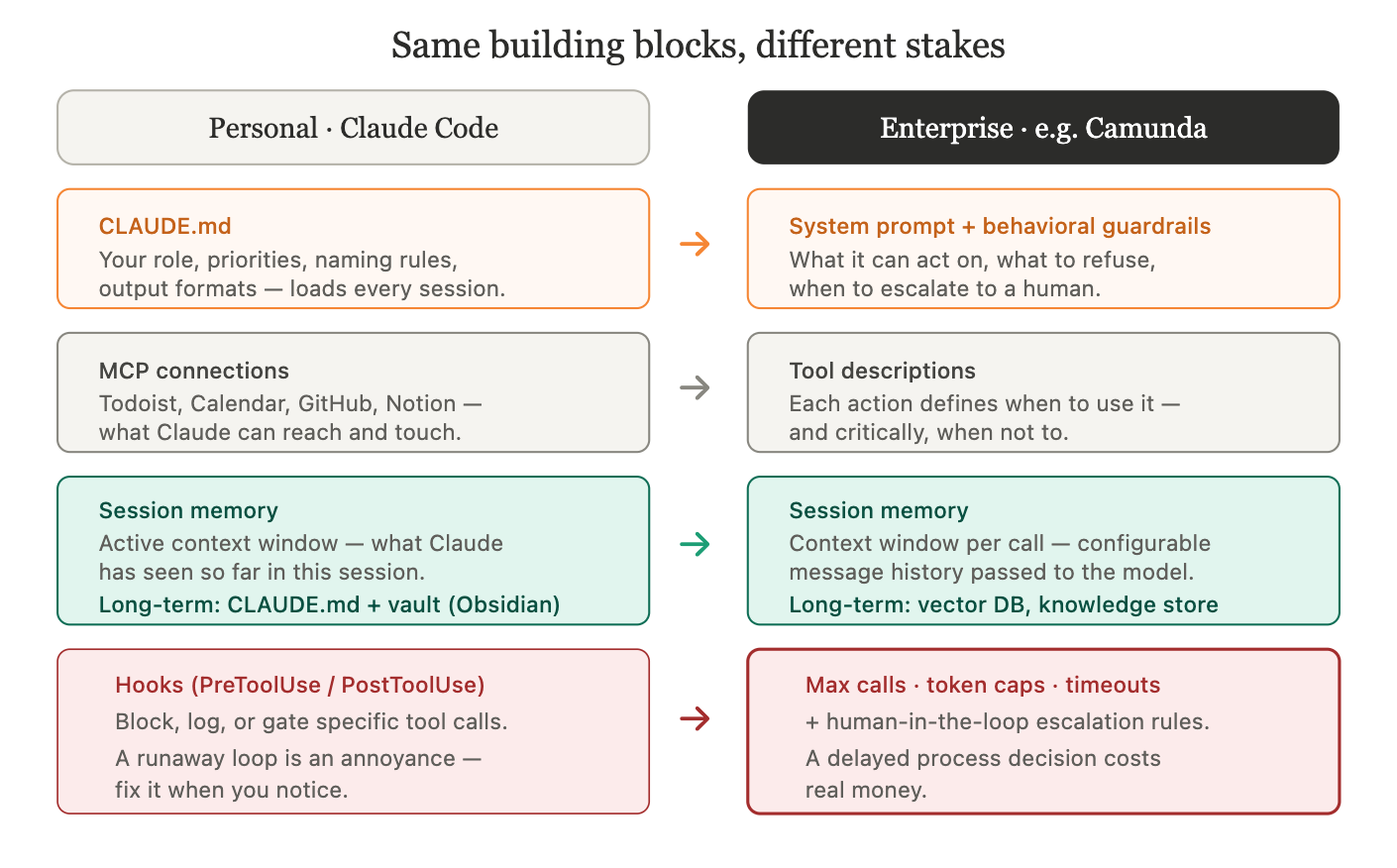
The main thing enterprise platforms add that personal setups rarely need is technical guardrails - explicit limits on how far an agent can run before it stops. In Camunda, for example, these are direct configuration options: a maximum number of model calls per execution (to prevent infinite loops), caps on tokens per response, API call timeouts, and a ceiling on how much conversation history gets passed to the model each time.
These aren’t optional refinements. A personal agent that loops unexpectedly is an annoyance. An enterprise agent doing the same in a loan approval or insurance claim process delays a real customer and costs real money. The guardrails are what make the difference between something you’d demo and something you’d deploy.
The pattern underneath is always the same: system prompt, tools, memory, guardrails. Whether you’re running it in Claude Code for your own workflows or inside an enterprise platform managing thousands of process instances - the building blocks are the same. The scale and the stakes are different.
Building with intention
Before I had this mental model, I built by copying patterns and adjusting until things worked. That’s fine when you’re learning. But once the vocabulary clicks - system prompt, tools, skill, agent, guardrails - you can look at any automation problem and immediately see which building block fits.
Same task every Monday morning? Build a skill. Needs Claude to research, reason, and adapt? Build an agent. Three independent analyses that don’t depend on each other? Parallel subagents. One part of a workflow is heavy and self-contained? Delegate it to a subagent. Running something in production with customer data? Add technical guardrails.
Once you’ve built skills and agents you rely on regularly, plugins are how you package them to reuse across projects or share with your team - one install, and your skills and agents are available everywhere.
Carl’s PM course is the fastest way to go from “I’ve heard of Claude Code” to a working setup with real automations. If you already have a setup and want a foundation to build on, the open-source PM workspace template has CLAUDE.md, skills, agent definitions, and MCP configuration - ready to personalize.
Same task every Monday morning? Build a skill. Needs Claude to research, reason, and adapt? Build an agent. Three independent analyses that don’t depend on each other? Parallel subagents. One part of a workflow is heavy and self-contained? Delegate it to a subagent. Running something in production with customer data? Add technical guardrails.
If you’ve never built a skill, start with one repeatable workflow you do every week. That’s your Day 1.
P.S. If you want to track Claude Code session usage, token spend, and context window directly from your terminal - no installation needed - check out my Claude Code statusline script.
Built by instinct describes my first six months with this too. Stuff worked, couldn't explain why.
The vocabulary thing is real - not just semantics. When I had to document what my agent actually does for a non-technical collaborator, I realized I'd been calling the same concept three different things depending on which session I built it in.
I've been tracking how architecture decisions affect actual agent behavior: https://thoughts.jock.pl/p/how-i-taught-ai-agent-to-think-ep2
The skill vs agent question is secondary to 'when does the agent decide vs when do I decide.' That one's harder.